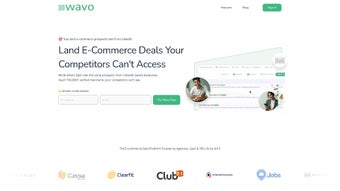

Download Wavo – AI-Powered E‑Commerce Lead Generation Tool
Overview
Wavo is an AI‑driven platform that redefines how agencies, SaaS businesses, and third‑party logistics providers (3PLs) acquire high‑quality e‑commerce leads. In today’s hyper‑competitive online marketplace, having a reliable pipeline of verified contacts can mean the difference between steady growth and stagnation. Wavo tackles this challenge by continuously scraping, validating, and enriching e‑commerce data from a multitude of sources, then presenting it through an intuitive web interface.
The service goes beyond simple data collection; it integrates advanced email deliverability tools, AI‑generated outreach suggestions, and real‑time lead freshness indicators. This means users not only receive a list of prospects but also gain actionable insights that improve open rates, response rates, and ultimately sales conversions. Whether you’re a boutique agency looking to expand your client roster or a large SaaS firm aiming to penetrate new verticals, Wavo offers a single, secure dashboard that streamlines the entire lead generation workflow—from discovery to outreach.
The platform’s emphasis on privacy compliance, GDPR‑ready verification, and encrypted data storage ensures that every contact is both legitimate and safe to use, protecting your brand reputation while you scale. By leveraging AI to personalize email copy, suggest optimal send times, and flag potential deliverability issues, Wavo empowers users to craft outreach campaigns that feel handcrafted, even at volume. In short, Wavo is a comprehensive, all‑in‑one solution designed to fuel consistent sales growth for any e‑commerce‑focused organization.
Key Features
- Real‑Time Lead Updates: New e‑commerce contacts are added and refreshed every 24 hours, ensuring you never chase stale data.
- Verified Contact Information: Each lead undergoes multi‑layer verification (email validation, domain check, and phone number confirmation) to reduce bounce rates.
- AI‑Powered Outreach Suggestions: The platform generates personalized email snippets, subject lines, and follow‑up sequences based on the prospect’s industry and buying behavior.
- Advanced Cold Email Toolkit: Built‑in spam‑score analysis, DKIM/SPF checks, and deliverability scoring help you land in the inbox, not the spam folder.
- Segmentation & Filtering: Filter leads by revenue, product category, platform (Shopify, Magento, WooCommerce, etc.), and geographic region for hyper‑targeted campaigns.
- Campaign Automation: Drag‑and‑drop campaign builder lets you schedule multi‑step email flows, track opens, clicks, and replies in real time.
- Export & Integration: Export leads in CSV, JSON, or connect directly to CRMs like HubSpot, Salesforce, and Pipedrive via native API.
- Security & Compliance: End‑to‑end encryption, GDPR‑ready consent flags, and regular security audits keep your data safe.
Installation & Usage Instructions
Getting started with Wavo is designed to be frictionless, even for users who are not technically inclined. First, visit the official Wavo website and click the “Start Free Trial” button. After entering your business email, you’ll receive a secure activation link.
The platform is entirely cloud‑based, so there is no software to download or install on your local machine—simply log in from any modern browser (Chrome, Edge, Safari, or Firefox) on Windows, macOS, or Linux. Once inside the dashboard, a short onboarding wizard guides you through three essential steps: defining your target market, selecting lead filters, and configuring your first email campaign. For agencies handling multiple clients, you can create separate workspaces and assign team members with role‑based permissions.
The lead generation engine runs automatically in the background, pulling fresh data from e‑commerce storefronts, marketplaces, and public business directories. When you’re ready to view leads, navigate to the “Leads” tab, where you’ll see a searchable table with columns for company name, contact email, revenue range, and verification score. Click on any row to open a detailed profile, which includes social media links, technology stack, and recent news mentions—valuable context for crafting a compelling outreach message.
To launch an email sequence, go to the “Campaigns” section, choose a pre‑built template or start from scratch, and let Wavo’s AI suggest subject lines and body copy. After you hit “Send,” the platform tracks deliverability metrics, flags hard bounces, and automatically updates the lead status (e.g., “Contacted,” “Interested,” “Unsubscribed”). Throughout the process, Wavo provides real‑time analytics dashboards that display open rates, click‑through rates, and conversion funnels, enabling you to iterate and improve your outreach strategy on the fly.
Support is available via live chat, knowledge base articles, and video tutorials, ensuring you can resolve any questions quickly.
Compatibility, Pros & Cons
Because Wavo is a web‑based SaaS solution, it works on any operating system that supports a modern browser, including Windows 10/11, macOS Monterey and later, Linux distributions, as well as mobile browsers on Android 12+ and iOS 15+. The responsive design ensures a consistent experience whether you are at a desk or on the go.
Pros
- Continuous, AI‑curated lead updates keep the pipeline fresh.
- High verification standards dramatically reduce email bounces.
- AI‑generated outreach content saves time and improves personalization.
- Built‑in deliverability tools increase inbox placement rates.
- Seamless integration with major CRMs and export formats.
- Robust security and GDPR compliance protect both you and your prospects.
- Scalable pricing plans suitable for solo freelancers to large agencies.
Cons
- Reliance on internet connectivity; offline access is not available.
- Initial learning curve for advanced segmentation and automation features.
- Higher-tier plans can be pricey for very small businesses.
- Custom API calls beyond the standard limits may incur additional costs.
- While AI suggestions are strong, they still benefit from human review for tone.
Overall Rating: 4.5 / 5
Wavo excels at delivering fresh, verified e‑commerce leads and equips users with AI tools that make outreach feel personalized at scale. The platform’s security posture and integration ecosystem are top‑notch, though the cost may be a barrier for micro‑agencies. For anyone serious about scaling e‑commerce sales, Wavo offers a compelling ROI.
Frequently Asked Questions
How does Wavo verify the accuracy of its leads?
Wavo runs each contact through a three‑step verification process: email syntax check, SMTP validation, and domain reputation analysis. Phone numbers are cross‑checked with carrier databases, and social profiles are matched to ensure the person is truly a decision‑maker.
Can I integrate Wavo with my existing CRM?
Yes. Wavo offers native integrations with HubSpot, Salesforce, Pipedrive, and Zoho CRM. You can also use the RESTful API to build custom connections to virtually any platform.
Is there a free trial or freemium version?
Wavo provides a 14‑day free trial with full access to all features. After the trial, you can choose from monthly or annual subscription plans; a limited‑feature free tier is also available for users who only need basic lead lists.
How does the AI generate personalized email content?
The AI analyzes the prospect’s industry, recent news, and technology stack, then composes subject lines and body copy that reference relevant pain points. Users can edit the suggestions before sending to retain brand voice.
What security measures protect my data?
Wavo uses TLS 1.3 encryption for data in transit, AES‑256 encryption at rest, regular third‑party security audits, and complies with GDPR, CCPA, and ISO 27001 standards.
Conclusion & Call to Action
In a landscape where every e‑commerce business competes for the same pool of buyers, having a reliable, AI‑enhanced lead generation engine can be a decisive advantage. Wavo delivers exactly that—a constantly refreshed database of verified contacts, coupled with smart outreach tools that help you cut through the noise and reach decision‑makers directly. Its browser‑based design means you can start generating high‑quality leads from any device without the hassle of installations or updates. While the price point may be higher than some basic list providers, the added value of AI personalization, deliverability optimization, and seamless CRM integration justifies the investment for growth‑focused teams. If you’re ready to accelerate your e‑commerce sales pipeline, sign up for the free trial today and experience how AI‑driven intelligence can transform your outreach strategy.



.png)



